
Why a bigger context window did not make RAG obsolete
Every few months someone announces that long-context models have killed retrieval. In practice, three things keep RAG alive. First, cost: stuffing 200,000 tokens into every single request is slow and expensive, even when the model supports it. Second, accuracy: models are measurably worse at finding one fact buried in a very long prompt than at reading a short, curated passage — the "needle in a haystack" tests are a stress test, not a workflow. Third, and most relevant for European companies, traceability: retrieval lets you point at exactly which document, page and paragraph an answer came from. That is not a technical nicety. It is what an auditor, or a customer, asks for the moment something goes wrong.
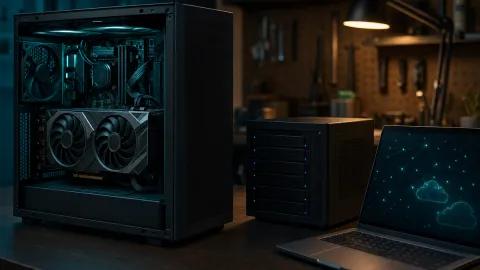
In our own AI Arena rig we run local models on an RTX 5060 Ti with 16 GB of VRAM. That is enough to run a solid 7–14B instruct model plus the embedding model at the same time — which is exactly what a small-business RAG stack needs.
The pipeline in six stages
RAG sounds exotic and is, structurally, a search engine bolted to a text generator. That is the whole trick.
| Stage | What happens | Typical local tool |
|---|---|---|
| 1. Ingest | PDFs, DOCX, wikis, tickets → plain text | pdftotext, OCR, docling, MarkItDown |
| 2. Chunk | Text split into 500–800 token passages with metadata | your own script, LangChain, LlamaIndex |
| 3. Embed | Every chunk becomes a vector of numbers | nomic-embed-text or BAAI/bge-m3 via Ollama |
| 4. Store | Vectors + original text + source metadata | Chroma, Qdrant, pgvector |
| 5. Retrieve | Question → vector → nearest chunks → rerank | same database, bge-reranker-v2-m3 |
| 6. Generate | Question + retrieved chunks → answer with citations | local LLM served by Ollama |
Which local tools actually do the job
You do not have to build the plumbing yourself. Two open-source applications cover most cases: Open WebUI adds document upload, embedding and citation to any Ollama backend, and AnythingLLM ships as a desktop app that bundles the model, the embedder and the vector store in one installer. Both run offline. For more control, RAGFlow and Dify give you a visual pipeline editor; LangChain, LlamaIndex and Haystack give you a code-first one.
| What you need | Fastest path | More control |
|---|---|---|
| Model runtime | Ollama | llama.cpp, vLLM |
| Chat UI with documents | Open WebUI, AnythingLLM | custom FastAPI front end |
| Vector store | Chroma (embedded, one folder) | Qdrant, pgvector |
| Embedding model | nomic-embed-text (~140 M parameters) | bge-m3, multilingual-e5-large (~560 M each) |
| Orchestration | built into the UI | LangChain, LlamaIndex |
Pick your embedding model by language, not by hype
This is the single most common mistake in European RAG projects. Embedding models decide what "similar" means. If your corpus is in Czech, German, Polish or Finnish, an English-centric embedder will silently retrieve the wrong paragraphs. For multilingual work, BAAI/bge-m3 covers more than a hundred languages including all EU official languages, and multilingual-e5-large is a well-tested alternative. Both are small enough to run on modest hardware. Test on your own documents in your own language before committing — a five-minute test beats a two-week migration later.
How much VRAM you actually need
Local RAG uses VRAM for two things at once: the generation model and the embedding model. The numbers below are the weight sizes at 4-bit quantisation, which is the standard trade-off point for local inference.
| Model size (4-bit) | Weights in VRAM | Realistic hardware |
|---|---|---|
| 3–4B | ~2.5–3 GB | 8 GB GPU, or CPU with patience |
| 7–8B | ~4.5–5 GB | 8 GB GPU, comfortable on 12 GB+ |
| 12–14B | ~8–9 GB | 12 GB minimum, 16 GB comfortable |
| 30–32B | ~18–20 GB | 24 GB, or partial offload to system RAM |
Add the KV cache and you need headroom. A 16 GB card like the RTX 5060 Ti in our AI Arena rig comfortably runs a 12–14B model with a long context, a bge-m3 embedder and a reranker. A 32B model on the same card means offloading and watching the tokens-per-second counter collapse. Size the model to the card, not to the leaderboard.
Build it: eight steps in one afternoon
1. Write down twenty real questions first
Before you touch a PDF. These are your acceptance test. If the system cannot answer them at the end, it does not work, no matter how nice the demo looks.
2. Convert your documents to clean text
Extraction quality decides everything downstream. Scanned invoices need OCR; tables in PDFs need a parser that understands layout. Garbage in, confident garbage out.
3. Chunk with metadata attached
Start at 500–800 tokens per chunk with roughly 15% overlap. Store the source file name, page number, section heading and modification date alongside every chunk. You will need that metadata for citations and for excluding outdated versions.
4. Pull the models
ollama pull nomic-embed-text
ollama pull bge-m3
ollama pull llama3.1:8b
Swap the last line for whatever 7–14B instruct model suits your language and licence requirements.
5. Embed and index
Loop over your chunks, send each one to the embedding endpoint, write the vector, the text and the metadata into Chroma or Qdrant. A few million tokens of text is a job of minutes on a modern GPU.
6. Retrieve more than you need, then rerank
Fetch the top 20 chunks by vector similarity, then send them through a cross-encoder reranker and keep the best 4–6. Reranking is the cheapest quality upgrade in the entire pipeline.
7. Write a prompt that allows "I don't know"
Something close to: Answer only from the provided context. If the context does not contain the answer, say so explicitly. Cite the file and page for every claim. A RAG system that refuses correctly is more useful than one that always produces an answer.
8. Measure, then iterate
Run your twenty questions. Count how many were answered correctly, how many were refused, and how many were confidently wrong. Confidently wrong is the number that matters.
What it costs to run
The math here is arithmetic you can check yourself. A 5,000-page documentation set is roughly 3–4 million tokens of text (a dense A4 page lands around 600–800 tokens). Embedding that locally is a process of minutes. Assume a ~180 W card and a household tariff around €0.20/kWh: an hour of full-load compute costs roughly four cents. Re-embedding the whole corpus weekly is financially invisible. Cloud embedding APIs are also cheap at current list prices, but there the recurring cost is generation — every question drags several thousand tokens of context through a paid model, and a busy internal tool asks a lot of questions.
Local versus cloud RAG: the honest comparison
| Criterion | Local (Ollama + vector DB) | Cloud API |
|---|---|---|
| Where documents go | Nowhere. No network egress | To the vendor's servers |
| GDPR position | No processor, no third-country transfer | DPA plus a transfer mechanism required |
| Marginal cost | Electricity and hardware amortisation | Per token, per question |
| Answer quality ceiling | Limited by what fits in your VRAM | Best frontier models available |
| Ops burden | Yours: backups, updates, monitoring | The vendor's |
| Latency | Depends on your GPU, no network hop | Network plus queue |
The European angle: GDPR, the AI Act and data residency
For many EU organisations the privacy question is the actual business case, not a footnote. If your retrieval corpus contains personal data — HR records, customer tickets, contracts with named individuals — sending it to a US-hosted API means you need a data processing agreement, a transfer mechanism under Chapter V of the GDPR, and a documented assessment of what happens to that data. A local stack that runs on your own hardware removes the transfer question entirely. The EDPB has been consistent that "the data went to a processor" does not make you less responsible.
On the AI Act (Regulation (EU) 2024/1689), the obligations for general-purpose AI models began applying on 2 August 2025, with high-risk rules phasing in later. An internal documentation assistant is normally not a high-risk system — but if your RAG sits inside an HR screening or credit-scoring workflow, the classification matters far more than the retrieval stack. Retrieval itself does not exempt you from anything; what it does give you is a log of which source produced which answer, which is precisely the kind of evidence a compliance team wants.
Model choice is not a purely American question either. Mistral in Paris publishes open-weight models you can run entirely inside the EU, and Germany's Aleph Alpha targets European enterprise and sovereign deployments. For most small and mid-sized deployments, an open-weight model running on your own hardware is both the cheapest and the most defensible option.
The five mistakes that kill local RAG projects
- Bad PDF extraction. Half the failures blamed on the model are actually failures of text conversion. Check extracted text on a sample of fifty files.
- One embedder for all languages. Test in your actual working language.
- Chunks without metadata. An answer you cannot attribute is an answer nobody will trust.
- No reranker. Vector search alone returns "semantically nearby"; reranking returns "actually relevant".
- No stale-index policy. An outdated price list in the index produces confidently wrong answers at high speed.
Do I need a dedicated GPU to run RAG locally?
No, but it decides what you can run. A small 3–4B model plus a compact embedder works acceptably on CPU or integrated graphics if you accept slow responses. A 12 GB GPU is the practical sweet spot: it runs 7–8B models with long context and still leaves room for the embedder and reranker.
Can a local RAG system handle documents in Czech, German or French?
Yes, if you choose the embedding model accordingly. Multilingual models such as bge-m3 and multilingual-e5-large handle all major European languages, and the local LLM should be picked for the same reason — some open-weight models are noticeably weaker outside English. Always test retrieval quality on your own documents in your own language before rolling out.
Is local RAG more expensive than just paying for an API?
For low volumes, the API usually wins — you pay cents per question and someone else runs the infrastructure. The crossover happens with volume, with sensitive data, or when a single misdirected document would be a compliance incident. Also count your time: a local stack is cheaper per query and more expensive in hours spent maintaining it.