What actually draws power in a local LLM rig?
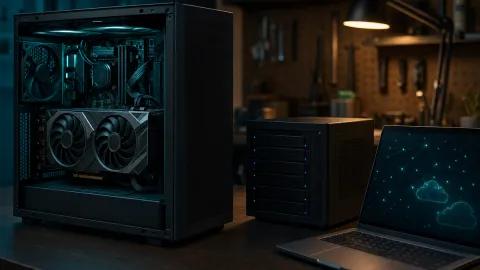
Your rig has four meaningful electrical loads: the GPU, the CPU, the motherboard/RAM/storage, and the power supply unit itself. The GPU is the headline number because it is the component doing the heavy matrix math during inference.
According to NVIDIA’s official product page, the RTX 5060 Ti has a Total Graphics Power of 180 W. That is the maximum the graphics board is expected to consume under a sustained load. It is not the whole computer.
A modern mid-range CPU with a 65 W TDP adds roughly 30–80 W during prompt processing and token generation. Motherboard, RAM, NVMe drive and fans add a bit more. And the PSU is not perfectly efficient: 250 W of direct current drawn by components means about 278 W from the wall with a 90% efficient power supply.
So a realistic ballpark for a 16 GB NVIDIA rig while it is actively generating tokens is 200–300 W at the wall. At idle, with the desktop sitting on the login screen or a terminal, the whole machine usually drops to 50–70 W.
The plain kWh math
One kilowatt-hour is 1,000 W running for one hour. That is the unit your electricity bill uses. The formula for a monthly estimate is:
(load hours × load watts + idle hours × idle watts) / 1000 × 30 days × price per kWh
The table below uses 280 W for active generation and 60 W for idle. These are rounded assumptions, not promises — a small 8B model in Q4 may not push the GPU all the way to 180 W, while a larger 32B Q4 model often will.
| Scenario | Load hours/day | Idle hours/day | Energy/month | Cost at €0.25/kWh |
|---|---|---|---|---|
| Occasional use, PC off between sessions | 2 | 0 | ~17 kWh | ~€4 |
| Heavy daily use, off at night | 6 | 0 | ~50 kWh | ~€13 |
| Always-on assistant, idle most of the day | 4 | 20 | ~70 kWh | ~€17 |
| 24/7 full load, unrealistic | 24 | 0 | ~202 kWh | ~€50 |
According to Eurostat’s electricity price statistics, the EU average household price in the second half of 2024 was around €0.25 per kWh including taxes. German, Belgian or Italian households will pay more; Nordic and central European users with fixed contracts may pay less. Use the number from your own energy tariff.
Why idle time is the part everybody misses
Look at the always-on assistant row: 20 hours of idle consumes 1.2 kWh per day, while 4 hours of full load consumes 1.12 kWh. Idle is over half of the monthly bill. A GPT/Claude conversation that finishes in a few minutes leaves the GPU running for hours afterward if you leave the machine on.
If you are running Ollama or a similar local runtime, the model often stays resident in VRAM for a few minutes after the last request. The GPU is not generating tokens, but it also does not drop to the lowest desktop idle state. A wall meter sees this even if nvidia-smi sometimes does not.
Practical steps: turn the PC off when you are done, enable suspend, or set the GPU to a lower power management mode for background use. A PC that is off draws nothing; a PC that is idling draws a slow, boring, monthly cost.
Power per token matters more than power per second
For AI users, the interesting number is not watts, but energy per generated token. A slower model spends more time at full power outputting the same text.
Here is the arithmetic. At 30 output tokens per second, generating 1,000,000 tokens takes about 9.3 hours. At 280 W, that is 2.6 kWh of electricity, or roughly €0.65 per million output tokens. Double the speed to 60 tokens per second and electricity cost drops to about €0.32.
That is why model size and quantisation matter in practice. A larger model usually runs slower, so each token sits inside the power draw for longer. A well-chosen Q4 or Q5 quant is often the cheapest and fastest way to run a 14B or 32B model on 16 GB of VRAM.
Measure your own rig in ten minutes
You do not need to trust my estimate. Measuring your own box is cheap and gives you numbers you can actually plan with.
1. Put a power meter in the path
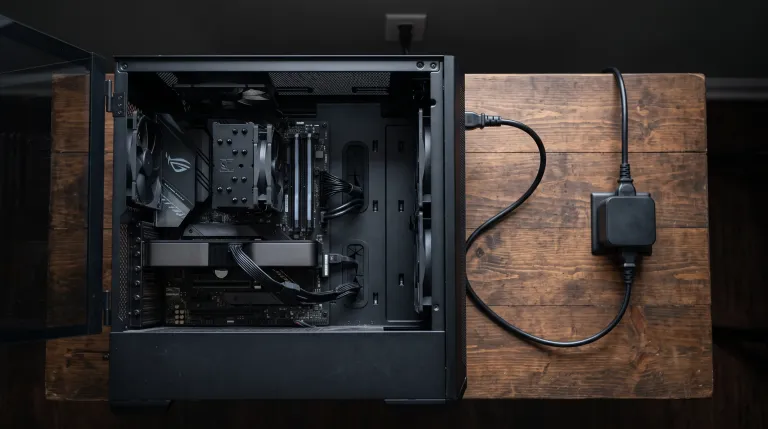
A simple wall meter or an EU smart plug with energy monitoring costs €15–30. Plug the PC cable into the meter, and the meter into the wall socket. Do not mix the monitor into the same measurement unless you want to include it.
2. Generate text for at least ten minutes
Run a long prompt with a fixed seed, or use Ollama to keep a model warm for several minutes. Read the average wattage during generation, not the peak.
3. Read the GPU separately
On Linux and Windows, nvidia-smi --query-gpu=power.draw --format=csv -l 1 shows the GPU’s board power every second. Subtract it from the wall-meter value to see the rest of the system.
4. Multiply by your tariff
Take the average wall watts, estimate how many hours per week you really use the machine, and multiply by 4.33 weeks and by your price per kWh. Write the result next to your cloud API bill. Often the surprise is not the electricity — it is how your old assumptions about idle time were worth ten euros a month.
European angle: GDPR, the AI Act and energy prices
Running a local model keeps the data on your disk and in your RAM. That is the strongest GDPR position for many use cases because there is no cross-border transfer to a cloud provider. A local LLM is not automatically GDPR-compliant — GDPR applies to any processing of personal data, even on a home machine — but it removes the most common source of data-protection complaints: sending personal data to a third-country API.
The EU AI Act is aimed mainly at providers who put models on the market and at deployers who use them professionally. A purely private home experiment is not the target. The moment you turn that local model into a customer-facing service in your company, you become a deployer and the transparency, logging and risk-management obligations start to appear.
European households also pay a wide range of electricity prices. Your local rig’s running cost is therefore not just a hardware question: the same 70 kWh/month costs €11 in a country with a €0.16 tariff and €25 in a country with a €0.35 tariff. Energy efficiency is not an environmental slogan here; it is a direct monthly saving.
Bottom line
For an occasional user, a 16 GB home AI rig costs less per month than a streaming subscription. For a heavy daily user, expect €10–15 per month. For an always-on assistant, budget closer to €17–20, and remember that idle time is the part you can fix for free.
The GPU’s 180 W maximum is not the whole story, but it is a good starting point for the math. A standard EU wall socket handles 280 W without issue, a quality 550 W PSU is plenty for most builds, and the quiet cost is not the cards — it is the hours they spend waiting for you to ask the next question.
Can a normal European wall socket handle a 280 W AI rig?
Yes. A typical EU household circuit supplies 16 A at 230 V, which is about 3.6 kW. A 280 W desktop is a fraction of that limit.
Does running a local LLM overnight damage the GPU?
No. A graphics card is designed to run at its rated TGP for hours, just like a gaming session. Check airflow, keep the fans unobstructed and let the card’s own thermal limits do their job.
Does local inference automatically make me GDPR-compliant?
No. GDPR applies to processing personal data even if it happens on your own hardware. What local processing avoids is the extra risk of transferring data to a third-party API provider outside the EU, and that is exactly why many European developers prefer it.