
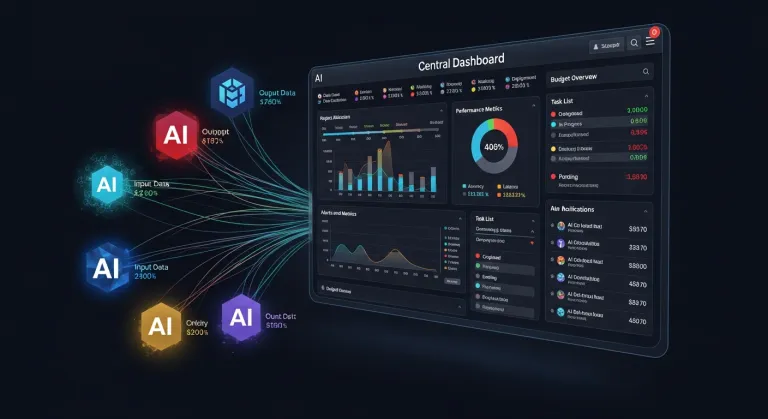
If you've ever spent tens of minutes copying data from spreadsheets into ChatGPT to have AI create a report or analysis, the moment has arrived when these complications can become a thing of the past. Smartsheet, a leader in cloud-based project management, announced the opening of its MCP server to a wide range of large language models (LLMs). This news is not just another integration; it's the implementation of a standard that defines how AI models will interact with our private data in the future.
What is MCP and why does it matter?
To understand the importance of this news, it is necessary to explain the concept of Model Context Protocol (MCP). Imagine it as a "universal socket" or USB standard for artificial intelligence. Previously, the developer of each new AI tool had to write specific code for each individual application they wanted to connect (e.g., a special integration for Slack, another for Smartsheet, etc.).
MCP, championed particularly by Anthropic, simplifies this process. If an application (like Smartsheet) implements an MCP server, it immediately becomes available to any AI model that supports this protocol. This means developers don't have to build hundreds of individual bridges – just one standardized input.
This approach was initially very successfully adopted by Anthropic's Claude model, leading to rapid growth in Smartsheet's utilization within their ecosystem. However, Claude's success has now opened the door for all other players in the market.
The Big Three: ChatGPT, Copilot, and Gemini in one place
Smartsheet's decision to open its networks to competing models is strategically brilliant. Instead of trying to force users to use only one specific model, they allow them to work with what they already have within their corporate licenses:
- ChatGPT (OpenAI): Users with a Plus or Team subscription can now directly query project status in Smartsheet via the ChatGPT interface.
- Microsoft Copilot: For companies already integrated into Microsoft 365, this step represents a natural progression – AI within Excel or Teams can have direct insight into project data without the need for manual export.
- Google Gemini: Google thus becomes an even stronger player in the workflow area if the company uses the Google Workspace ecosystem.
Comparison of capabilities: Where are the limits?
Although all these models can now access data via MCP, their performance differs. While Claude 3.5 Sonnet (Anthropic) is currently considered top-tier in programming and logical reasoning over data structures, GPT-4o (OpenAI) excels in creative writing and general semantics. Gemini 1.5 Pro (Google), on the other hand, offers a huge context window, which is crucial when analyzing extremely extensive project plans. With this step, Smartsheet gives the user the ability to choose the "brain" that best suits their current task.
Practical impact: What does this mean for Czech companies and users?
For the Czech market, where there is a strong presence of medium and large companies in manufacturing, IT, and services, this news has three main aspects:
- Efficiency without barriers: A Czech manager does not have to be an integration expert. If their company uses Smartsheet (which is also available for the Czech market, albeit primarily in English), they can start using AI agents immediately.
- Reduced error rate: Manually transcribing data from a project plan into an AI chatbot is a source of errors. MCP allows the model to read data directly from the source, which dramatically increases reporting accuracy.
- Availability and price: Smartsheet offers various subscription levels (Free tier for individuals, Pro from approx. $7/month, Business version for teams). MCP integration is part of their effort to maximize the value of these subscriptions. It is important to note that for full utilization, you will also need a paid version of the AI model (e.g., ChatGPT Plus for $20/month).
Beware of regulation: For Czech companies within the EU, it is crucial to monitor how these integrations handle data. In the context of the EU AI Act, it must be ensured that when querying AI about project data, sensitive information is not unlawfully shared with the training datasets of model providers. Smartsheet and large providers (Microsoft, Google) are already implementing enterprise-level security that meets these requirements.
Conclusion: From chatting to action
With this step, Smartsheet becomes part of a broader trend of transitioning from generative AI (which only writes texts) to agentic AI (which performs actions). It's no longer just about asking AI: "What does our project look like?". The goal is to ask: "Find all delayed tasks in the Smartsheet project and suggest deadlines for their rectification in the calendar." And thanks to MCP, this process will be seamless, standardized, and secure.
Do I need to be a programmer to use Smartsheet via MCP?
No. The main advantage of the MCP standard is precisely that it allows existing AI models (like ChatGPT or Copilot) to communicate with the application without the need to write custom code. If you have access to these tools, the integration happens in the background.
Is my data safe when ChatGPT "reads" it from Smartsheet?
That depends on your enterprise account settings. In professional versions (ChatGPT Team/Enterprise or Microsoft Copilot), data is protected and not used to train public models. We always recommend checking the privacy settings in your contractual relationship with the AI provider.
Is Smartsheet available in Czech?
The Smartsheet interface itself is primarily in English. However, thanks to integration with AI models that excel in Czech (like GPT-4o or Claude), you can submit queries in Czech and receive data analysis results also in Czech.




