
What is OpenClaw and why is Andrej Karpathy talking about it?
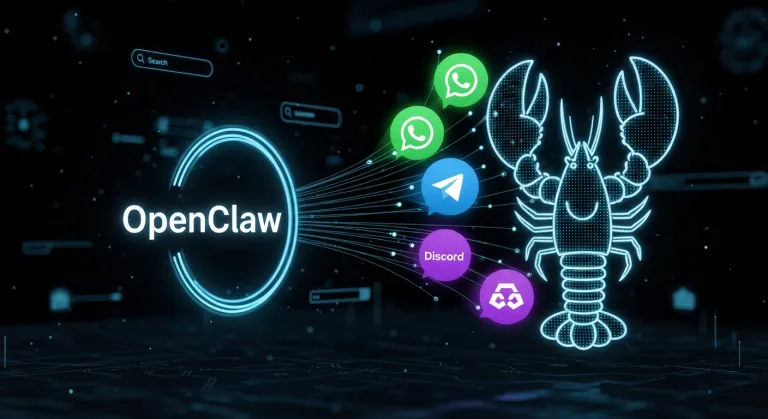
For those unfamiliar with OpenClaw: it is an MIT-licensed open source project that you can install on your own device to get a personal AI assistant accessible via any communication channel. It supports 25+ platforms including WhatsApp, Telegram, Discord, Slack, Signal, iMessage, Google Chat, Microsoft Teams, Matrix, and more. You control the assistant via standard chat applications — you send it a message and it replies, performs a task, or triggers an automation.
The project, created by Peter Steinberger (known to the Czech community primarily for PDFXKit), has garnered enthusiastic reviews from developers worldwide. Andrej Karpathy himself, former head of AI at Tesla and co-founder of OpenAI, publicly praised the "oracle and Claw" concept. The community on X/Twitter describes OpenClaw as "everything Siri should have been" and "the best AI tool today".
Unlike commercial AI assistants, OpenClaw runs locally on your hardware — on macOS, Linux, or Windows via WSL2. You don't need a cloud subscription (just your own API key to any model provider), data remains under your control, and the assistant has direct access to tools on your computer.
Google Meet: finally reliable voice calls
One of the most visible changes in version 2026.5.3 is a fundamental redesign of the Google Meet integration. Developers fixed several critical issues that previously caused OpenClaw to behave unreliably in Meet calls — sometimes it wouldn't connect, other times it appeared connected but remained silent.
Now, OpenClaw waits for session.updated confirmation from the OpenAI realtime API before sending audio. This eliminates situations where the assistant joined the call before the audio session was fully initialized. Support for realtime transcription has also been added — during a call, you can now see what the assistant hears and what it plans to say. Issues with granting microphone permissions via Playwright, where CDP grants did not work correctly on connected Chrome pages, have also been fixed.
In practice, this means you can now let OpenClaw join a Meet call, and it will actually connect, be heard, and respond. For Czech users who use Google Meet as their primary tool for work video calls, this is a significant shift from an "interesting experiment" to a "really usable tool".
Plugin ecosystem gets organized
Version 2026.5.3 brings an extensive series of fixes to the plugin system, addressing persistent issues with installation, updates, and extension reliability. Key changes include:
More reliable installation: OpenClaw will now refuse to install TypeScript-only packages that lack compiled JavaScript output — previously, such plugins would install but silently fail at runtime. Installation via npm no longer deletes other installed plugins (fix for npm install from manifest instead of root). If plugins/installs.json is missing, the installer can now recover from the npm root folder.
Official ClawHub catalog: For plugins that have moved from bundled distribution to separate npm packages (Discord, Brave Search, ACPX, Google Chat, LINE), an official catalog with metadata has been added. This ensures that even if an external plugin manifest does not contain all necessary information, OpenClaw will supplement it from the catalog and the plugin will initialize correctly.
Better diagnostics: openclaw doctor now better recognizes and fixes issues with missing plugins, including resetting outdated slot references (memory, contextEngine) and recovering corrupted installations.
Gateway: performance, stability, and monitoring
The OpenClaw Gateway — the central control plane of the entire system — has received a significant portion of optimizations. The cache for usage statistics (usage.cost and sessions.usage) now uses a persistent aggregated cache with safe background refreshes, eliminating slow full-scans when displaying statistics for large session stores. This will be especially appreciated by users who process dozens of requests daily via OpenClaw.
Monitoring and diagnostics have also significantly improved: repeated liveness warnings for running cron or subagent runs are now throttled — previously, they flooded the console even during completely normal operation. Non-blocking liveness diagnostics have been moved out of the default console output, so operators only see truly important messages. The Gateway now also detects and abort-drains embedded runs after prolonged inactivity, to prevent a single frozen session from blocking the entire queue.
Further improvements include preferring system Node.js over nvm/fnm/volta when regenerating managed services, fixing launchctl kickstart behavior on macOS, and safer handling of operator secrets in the Gateway env file during re-stage.
Improvements across communication channels
Every OpenClaw version brings improvements for individual messengers, and version 2026.5.3 is no exception:
Discord gained typing indicators — the assistant now immediately displays "typing..." upon receiving a message, so the user knows the message has arrived (fixing an issue where slow pre-dispatch phases gave the impression that the bot was unresponsive). Slash command registration now compares Discord-normalized descriptions, eliminating unnecessary PATCH bursts and rate-limit 429 errors. The option to skip slash command registration when native=false has also been added, which speeds up Gateway startup on weaker devices.
WhatsApp fixed compatibility with pnpm v9+, which previously blocked @whiskeysockets/libsignal-node as an exotic subdependency — resulting in the bot stopping receiving messages. It also now supports native mention metadata for group chats.
Mattermost, Microsoft Teams, and other channels have gained support for finer control over streaming progress messages, including the ability to disable tool progress preview and customize labels.
Telegram now allows configuring mediaGroupFlushMs — the time to wait for a photo album to complete before sending. Operators can thus fine-tune behavior when sending multiple images at once.
Memory and search: better indexing, greater resilience
The Active Memory system, which allows OpenClaw to remember context across conversations, has undergone a series of fixes. Embedding reindex now handles transient network errors (ECONNRESET, fetch failed) and continues instead of aborting. LanceDB has a declared dependency on apache-arrow, so installation will proceed without missing peer dependencies.
Also new is support for archived and deleted transcripts — OpenClaw now indexes archived content (.jsonl.reset.* and .jsonl.deleted.*), so memory search covers older, rotated conversations. Additionally, memory status now distinguishes between issues with the vector store and the embedding provider, making it immediately clear where the problem lies.
What version 2026.5.3 means for Czech users
OpenClaw is also on the rise in the Czech Republic. The community of Czech developers and tech enthusiasts installs OpenClaw as their own AI assistant, which they have under control — unlike commercial solutions from OpenAI, Google, or Microsoft. Version 2026.5.3 brings specific benefits:
- More stable operation — fixes in Gateway and doctor mean fewer manual interventions and fewer crashes
- More reliable calls — Google Meet integration is finally usable for real work calls
- Easier plugin installation — Discord, Brave Search, and other official plugins install more reliably
- Better monitoring — the console will no longer be flooded with false warnings
For Czech companies and individuals considering deploying an AI assistant, OpenClaw is an attractive choice also from the perspective of GDPR and the EU AI Act — data remains on your hardware, and you decide which models and providers to use. For companies subject to European regulation, a self-hosted solution is significantly easier for compliance than third-party cloud services.
OpenClaw is completely free — you don't pay for the software, but only for API calls to your chosen models (OpenAI, Anthropic, Google Gemini, local models via Ollama/LM Studio, or any OpenAI-compatible provider). Prices thus depend on your usage — when using cheaper models like Gemini 2.5 Flash or local models, operational costs can be practically zero.
How do I install OpenClaw and what do I need for it?
You need Node.js 22.14+ (24 recommended) on macOS, Linux, or Windows with WSL2. Installation is done via npm: npm install -g openclaw@latest and then openclaw onboard --install-daemon for the setup wizard. You also need an API key for at least one model provider (OpenAI, Anthropic, Google Gemini, OpenRouter, or a local model via Ollama/LM Studio).
Does OpenClaw support Czech?
OpenClaw itself has no language barrier — it communicates in the language you use in messages. If you use a model with good Czech support (e.g., GPT-4o, Gemini 2.5 Pro, Claude 4), the assistant will respond in Czech. The local UI (settings, diagnostics, Control UI) is in English. Czech localization of the administrative interface is not yet available.
Is OpenClaw safe for corporate use in the EU?
Yes, from a GDPR perspective, a self-hosted solution like OpenClaw is more advantageous than cloud services — data remains on your server, and you control which models it is sent to. OpenClaw supports sandboxing (Docker, SSH, OpenShell) for secure agent separation when used in a team environment. Before deployment, we recommend studying the security documentation and correctly configuring DM policies and sandboxing.




