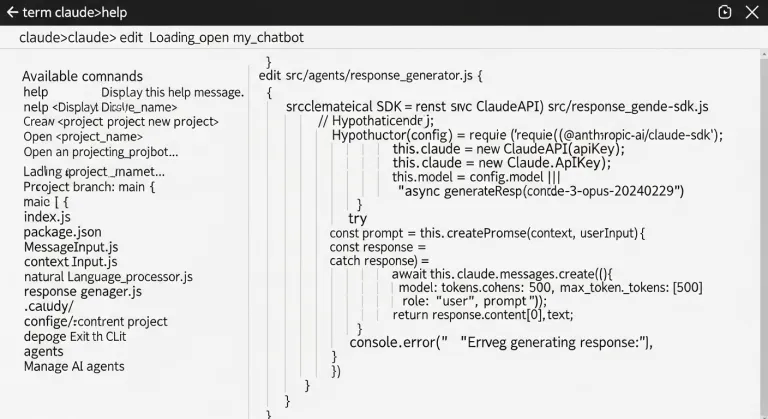
/init does. Why skills, agents, and plugins exist. And what claude-mem is, which allows Claude to remember your work even between sessions.
Installation: five minutes and you're good to go
Claude Code is an open-source CLI tool from Anthropic, available on all major platforms. Installation is straightforward:
npm install -g @anthropic-ai/claude-codeOn macOS and Linux (including WSL), an installation script also works:
curl -fsSL https://claude.ai/install.sh | bashAfter installation, simply run claude in the terminal — login will happen via your browser. Claude Code then functions as an interactive agent directly within your project: it can see files, modify them, run bash commands, search the web, or call external APIs.
The tool is also available as an extension for VS Code and JetBrains IDEs, a web application at claude.ai/code, and a desktop application for Mac and Windows. Czech localization is currently missing — the interface and documentation are in English.
The /init command: the foundation of every project
The first step after launching Claude Code in a new project should be the /init command. Claude Code will traverse your repository's structure and generate a CLAUDE.md file — a key document that the tool automatically reads at the beginning of each session.
CLAUDE.md acts as persistent instructions for Claude: how to build the project, how to run tests, what naming conventions are, what not to do. Without it, you have to re-explain the project context to Claude every new session. With it, it gets straight to the point.
A good CLAUDE.md should contain:
- commands for build, test, and local execution
- an architectural overview in three sentences
- conventions and limitations ("we use X, not Y")
- known pitfalls and edge cases
The golden rule applies: brevity pays off. The CLAUDE.md file is loaded with every message, so every extra word costs real tokens. The optimal length is 300–600 tokens.
Tokens: how costs and context work
Claude Code charges for tokens — basic units of text, where approximately 100 tokens correspond to 75 English words. Tokens are counted for everything Claude processes: your messages, conversation history, loaded files, tool results, and the system prompt including CLAUDE.md.
A key feature to watch out for: with each response, Claude reprocesses the entire context from the beginning of the session. The fortieth message in a long conversation thus pays for everything written before it. Long sessions become exponentially more expensive.
Anthropic offers several mechanisms to reduce costs:
- Prompt caching — repetitive content (system prompt, CLAUDE.md) is cached and costs up to 90% less when reused.
- /compact — a command that summarizes conversation history and saves tokens when continuing work.
- /clear — resets the context when moving to a new task. Cheaper than carrying unnecessary history.
- /cost — displays the current token expenditure in the given session.
Sonnet 4.6 and Opus 4.6 models support a context window of up to 1 million tokens — this corresponds to approximately a medium-sized codebase or 200 messages without forced compression. Nevertheless, the rule applies: smaller context = lower price and faster responses.
Skills: addable capabilities for Claude Code
Skills are optional commands that extend the basic behavior of Claude Code. They function as slash commands — for example, /simplify, /loop, or /review. Each skill is a Markdown file with YAML frontmatter that defines when and how it runs.
Claude Code comes with several built-in skills:
- /simplify — checks changed code and suggests simplifications
- /loop — repeats a given prompt or command at a set interval
- /review — performs a code review of a pull request
- /debug — helps diagnose errors
- /init — initializes CLAUDE.md for a new project
Custom skills can be added to ~/.claude/commands/ (globally for all projects) or to .claude/commands/ (locally for a specific project). Skills provided via plugins are installed automatically. The developer community shares ready-made skills on GitHub — an example is the jamesrochabrun/skills collection with dozens of specialized commands.
Agents and subagents: parallel work without context overload
Agents are one of the most powerful features of Claude Code. While the basic Claude works in one context window, subagents run in separate contexts — each with its own system prompt, tool access, and permissions.
Why does this make sense? Imagine Claude searching a large codebase to find relevant files — the search results overwhelm the context and serve no purpose for the rest of the conversation. A subagent performs such an exploration in isolation, returns a summary, and the main context remains clean.
Built-in agents in Claude Code include:
- Explore — fast codebase exploration using pattern matching and grep
- Plan — an architect for designing implementation plans
- general-purpose — a multi-purpose agent for complex tasks
Custom agents can be defined as Markdown files in ~/.claude/agents/ or .claude/agents/. As of April 2026, an agent can be invoked directly in the prompt using an at sign: @agent-name. Agents can also be built programmatically via the Claude Agent SDK — an open-source library from Anthropic for Python and TypeScript, which allows running Claude Code as a library in your own application.
Why implement claude-mem
Claude Code suffers from a classic problem of AI assistants: it remembers nothing between sessions. Every new start is a clean slate. You re-explain the project architecture, you re-state what worked and what didn't, you re-describe the context. For long-running projects, this is expensive in terms of time and tokens.
Claude-mem solves this problem. It's a plugin with over 46,000 stars on GitHub that automatically captures everything Claude does during a session, compresses it using AI, and injects relevant context back into the session on the next start.
Technically, it works via five lifecycle hooks: SessionStart, UserPromptSubmit, PostToolUse, Stop, and SessionEnd. Each key action is stored as an observation in an SQLite database with vector embeddings (Chroma). In a new session, relevant records are semantically searched and added to the context — Claude thus "knows" what you were dealing with last time without you having to tell it again.
Installation in Claude Code:
/plugin marketplace add thedotmack/claude-mem
/plugin install claude-mem
For Czech developers working on long projects, this is a practically indispensable extension — especially if you switch between multiple projects or work in a team where different people collaborate with Claude on the same repository.
Plugins and MCP servers: Claude connected to the whole world
Plugins are extension packages that add skills, agents, hooks, and MCP servers to Claude Code all at once. They are installed via the marketplace directly in the CLI. The plugin ecosystem is growing rapidly — Awesome Claude Plugins on GitHub lists dozens of curated extensions.
MCP (Model Context Protocol) is an open standard from Anthropic for connecting AI models with external tools and data sources. Via MCP servers, Claude Code can:
- read and write to databases (PostgreSQL, SQLite, MongoDB)
- work with cloud services (AWS, Google Cloud, Vercel)
- communicate with issue trackers (Linear, Jira, GitHub Issues)
- access Slack, Gmail, Google Drive, and other tools
- call any REST API
MCP servers are configured in the ~/.claude/settings.json file or locally in the project. The ecosystem comprises over a thousand servers — a catalog of the best for 2026 can be found, for example, at claudefa.st. For most developers, the most useful MCP servers are for GitHub, databases, and cloud platforms they use daily.
How to put it all together
The optimal workflow for a new project looks like this: you run /init, which creates CLAUDE.md, install claude-mem for persistent memory, add MCP servers for the tools the project uses, and optionally install specialized skills or agents for recurring tasks. This gives you an environment where Claude Code knows your project from day one, remembers previous decisions, and has access to all necessary external systems.
Claude Code is not the cheapest tool — for large projects with long sessions, monthly costs can climb to tens or hundreds of dollars. But for developers who set it up correctly, it pays for itself very quickly in saved time.
How much does it cost to use Claude Code and how to control costs?
Claude Code is free to download, but you pay for tokens consumed when communicating with the model. Prices depend on the chosen model — Sonnet 4.6 is cheaper than Opus 4.6. Current expenditure is displayed with the /cost command. Costs are significantly reduced by prompt caching (up to -90% on repeated content), regular use of /compact and /clear when switching to a new task, and a concise CLAUDE.md. Anthropic offers API keys with monthly credit — a detailed price list is available at platform.claude.com.
Does Claude Code work with Czech projects and the Czech language?
Yes — Claude understands Czech even in code, comments, and documentation. CLAUDE.md and instructions in skills can be written in Czech. The CLI interface itself is English, but communication with Claude can be fully in Czech. For projects with Slovak or Czech localization (Nette, Drupal in Czech, Czech databases), Claude Code works without limitations.
How safe is it to run Claude Code in a production environment?
By default, Claude Code asks for confirmation before destructive operations (deleting files, force push, overwriting data). Permissions can be granularly configured in settings.json — for example, to deny access to certain folders or restrict bash commands. For production servers, it is recommended to run Claude Code in read-only mode or with an explicit whitelist of allowed operations. Code or files are not sent to Anthropic — only the conversation context is sent.
